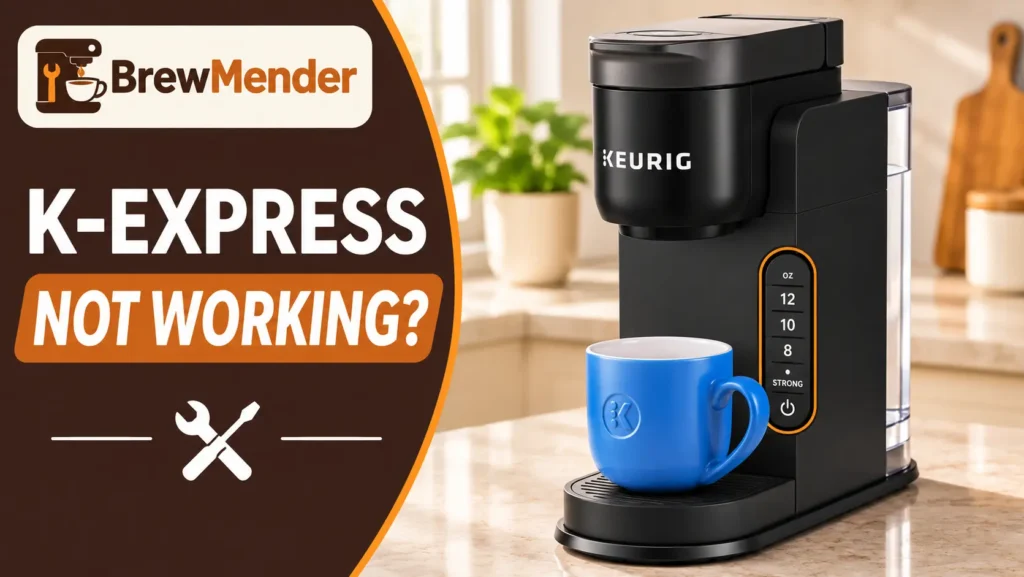
Is your Keurig K-Express not working? Start with three quick checks: add water above the minimum line, lift the reservoir and set it back firmly, and confirm which K-Express you own. Keurig sells several K-Express versions with different buttons, and a button trick meant for one can switch on a hidden setting on another. Keurig procedures below come from the guide for each version; the few general low-risk checks that are not in Keurig’s guides are labeled as such.
Keurig K-Express Not Working? Identify the Symptom First
Find the row closest to what your brewer is doing. Causes are possibilities to check, not diagnoses.
On mobile, swipe left or right to see all columns ↔
Check Which K-Express Model You Own
Look at the buttons on top of your brewer, not just the box. Keurig’s documents cover four K-Express control layouts, and their button steps are not interchangeable.
On mobile, swipe left or right to see all columns ↔
Sources: K-Express guide, K-Express Essentials guide, Essentials SIZE/BREW guide, Essentials Plus quick start guide.
Essentials Plus note: its quick start guide says the brewer powers on when you lift and lower the handle during first setup. It does not say how to wake the brewer after Auto Off. Lifting and lowering the handle is a harmless thing to try, but it is not a documented Auto Off step. If that does nothing, contact Keurig.
If you held two buttons and the lights now behave oddly, go to the "Held Two Buttons?" section below before trying anything else.
K-Express Won’t Turn On
All four K-Express guides say the brewer turns itself off five minutes after the last brew. A dark brewer is often just sleeping.
- Wake it the right way. Use the method in the model table above. Expected result: the size lights come on or blink. What it means: the brewer has power and was in Auto Off.
- Give it its own outlet. The K-Express and both Essentials guides say to run the brewer on its own circuit, separate from other appliances. With the brewer unplugged, look over the cord and plug for damage, then plug it straight into a working wall outlet. The Essentials Plus guide notes its plug is polarized and fits one way only; never modify it. Expected result: lights appear. What it means: the outlet or a shared circuit was the likely issue.
- Let a cold brewer warm up. If it has been stored or shipped below freezing, the K-Express and Essentials guides say to let it reach room temperature for at least 2 hours before use.
- Still nothing? Keurig’s next step is Customer Service. Do not open the housing. Our broader Keurig won’t turn on checklist covers outlet and breaker checks in more depth.
If it powers on and then cuts out mid-brew, that is a different symptom covered in Keurig keeps shutting off. If it went dark right after descaling, see the after-descaling section below.
K-Express Lights Up but Won’t Brew
Lights prove the brewer has power, not that it is ready. Work through these with no brew running.
- Top up the water. The K-Express and both Essentials guides say to add about 2 oz more water, press the size button (BREW on the SIZE/BREW version), and repeat until it dispenses. Never fill past MAX. The Essentials Plus quick start guide has no low-water step, so on that model fill to MAX FILL, reseat the tank, and contact Keurig if it still won’t start.
- Reseat the reservoir. Lift it straight up and set it back firmly on the base. Expected result: the brewer accepts your selection.
- Close the handle completely. On the SIZE/BREW version, the handle has a latch: press it to open, and make sure the handle is fully closed and latched.
- Use the right button order. On the K-Express, separate-button Essentials, and Essentials Plus, the three sizes blink when ready; press one size and brewing starts. On the SIZE/BREW version, press SIZE until your size lights, then press the blinking BREW button.
- Check you are not in Descale Mode. If you held two buttons and the controls are flashing, see the hidden-mode section below.
If the brewer starts a cycle but little or no water comes out, skip to the noise and no-water section.
New K-Express Won’t Finish Its First Cleansing Brew
Keurig’s setup runs one water-only brew before your first cup. Missing a step is a common reason a new brewer seems stuck.
- Remove all packing tape. Place a mug of at least 10 oz on the drip tray.
- Rinse the reservoir, fill it to the MAX FILL line, and seat it properly. Do not use distilled water.
- Lift and lower the handle with no pod inside. The brewer powers on by itself. (SIZE/BREW version: press the latch, then close the handle until it latches.)
- Start the cleansing brew: press 8 oz when the sizes blink, or on the SIZE/BREW version, press SIZE until 8 oz lights, then press the blinking BREW button.
- Do not lift the handle or remove the reservoir until the brew finishes. Pour the hot water into the sink.
Expected result: hot water dispenses, and all size lights stay on when it is done. If a brand-new brewer still won’t complete setup after a careful second try, contact Keurig rather than opening the machine. Check your receipt or delivery confirmation and the warranty terms for your exact model.
Add Water Light Stays On With Water in the Reservoir
The K-Express guides do not give a minimum in ounces. They tie brewing to the minimum line on the tank.
- Top up. On the K-Express and both Essentials versions, use the add-2-oz step above, staying under MAX. On the Essentials Plus, fill to MAX FILL.
- Reseat the tank while the brewer is idle, then try again.
- Check for Descale Mode. During descaling, ADD WATER lighting up is expected. It marks the end of the solution stage, and the guide tells you to switch to fresh water.
If ADD WATER stays on with a full, seated tank outside Descale Mode, the guides offer no further owner fix. Contact Keurig, and do not pry at the valve under the reservoir. If the tank itself is cracked, our replacement reservoir guide explains how to match the right part.
K-Express Buttons Not Responding or Lights Flashing
Most K-Express light patterns are normal prompts. Match what you see first.
On mobile, swipe left or right to see all columns ↔
About the DESCALE light. All four guides say it is a maintenance alert that comes on after every 250 brews, and they recommend descaling every 3 months or when it appears. It is a reminder, not a fault, and the brewer can still be used. It only turns off after the full descaling procedure for your version, including the fresh-water rinse. Ordinary brews or unplugging will not clear it.
If the buttons truly do nothing:
- Let any brew finish. Lifting the handle mid-brew risks a burn from hot water in the pod holder.
- Wake the brewer using your model’s method from the model table.
- Rule out a mode. Compare any odd light to the hidden-mode section below.
- Try a simple power cycle (general check, not a Keurig step). Unplug the brewer, wait briefly, plug it back in, and wake it.
Don’t try random button combinations, pry at the panel, or spray cleaner into button gaps. None of the K-Express guides list an all-lights fault code, so contact Keurig for a pattern not shown here. Our Keurig lights flashing guide and Keurig buttons not working guide compare patterns on other models.
Held Two Buttons? Check for a Hidden Mode
Keurig’s guides document no K-Express reset combination. Some online "resets" are really holds that switch modes on and off. All are done with the brewer plugged in and powered off.
On mobile, swipe left or right to see all columns ↔
- High Altitude Mode on: a confirming light comes on (12 oz on the K-Express, 10 oz on the three Essentials versions). Repeat the same hold to turn it off.
- STRONG mode (original K-Express only): holding STRONG for 3 seconds while powered off makes it blink twice and keeps STRONG on for every brew. Repeat to turn it off.
- Descale Mode: the guides describe finishing the descale procedure as the way out. Use our K-Express descale guide for your version’s steps.
K-Express Makes Noise but Won’t Dispense Water
When it happened matters.
During or right after descaling. The K-Express and both Essentials guides say a heavily scaled brewer may not fill after descaler is added, giving little or no output and then the sound of air. Their fix: turn off and unplug, discard any solution left in the tank, rinse and refill it with fresh water, plug back in and repeat the fresh-water rinse. If it persists, leave the brewer unplugged for at least 30 minutes before continuing. The Essentials Plus quick start guide does not include this recovery, so contact Keurig if it happens on that model.
During a normal brew.
- Reseat the reservoir and make sure the water is above the minimum line.
- Run a brew with no pod. If water flows, the problem is likely in the pod path (needles or holder). If nothing flows, go to step 3.
- If the DESCALE light is on or it has been about three months, descale with your model’s procedure.
A noise without water does not prove the pump has failed. If water still won’t move, stop and contact Keurig. Our Keurig not pumping water guide explains what each sound pattern can and cannot tell you.
K-Express Not Brewing a Full Cup
A short cup is easier to recognize with a water-only brew into a heat-safe measuring mug. Remove the pod, choose a size, and compare the result. Keep your hands away from the hot outlet and do not lift the handle mid-brew.
Try the documented purge first, if your model has one
The original K-Express and the separate-button Essentials have a specific partial-cup purge in Keurig’s manuals. This is not a universal reset. Do not use these button holds on the SIZE/BREW Essentials or Essentials Plus.
On mobile, swipe left or right to see all columns ↔
If the purge fixes the partial cup, no further disassembly or descaling is needed. If your model has no documented purge, or if flow remains low, continue with accessible needle care where supported.
Clean the needles if the purge does not help
Keurig documents the following needle-care procedure for the original K-Express and both Essentials guides. The Essentials Plus quick-start guide does not describe this procedure; Plus owners should consult Keurig Support for their full model instructions.
- Exit needle: Lift the handle, release the K-Cup pod holder as shown in your model’s guide, and remove its funnel. Gently loosen coffee grounds in the exit needle with a straightened paper clip. Reassemble the holder securely.
- Entrance needle: With the handle lifted, carefully loosen grounds from each opening in the needle under the lid using a straightened paper clip, as directed in the guide.
- Rinse: Reconnect power only after reassembly, then run two cleansing brews without a pod when your model’s instructions call for them.
Do not force the pod holder, bend the needle, reach into the housing, or try to clean while the brewer is powered.
Descale or ask Keurig for help
Mineral buildup is another possible cause. Follow the K-Express descaling procedure for your exact layout rather than trying a universal button combination. On the original K-Express and both Essentials guides, Keurig advises contacting support if it still makes partial cups after two complete descales. Do not keep repeating descaling indefinitely.
If you live at high altitude, consult the High Altitude Mode instructions for your exact model in the section above; do not toggle it as an ordinary reset. More general causes are covered in our Keurig not brewing a full cup guide.
K-Express Stopped Working After Descaling
Most post-descale problems trace back to an unfinished or mismatched procedure. Full steps for each version are in the K-Express descale guide linked in the hidden-mode section.
- DESCALE light still on: Finish the complete, model-specific fresh-water rinse in the K-Express descale guide. The original and Essentials manuals direct rinsing until the DESCALE notification goes out; follow your version’s button and refill instructions, and never run the tank dry. Essentials Plus has a separate quick-start rinse sequence. If you completed the correct documented process and the alert remains on, see our descale-light troubleshooting guide or contact Keurig. Do not keep running improvised cycles.
- Buttons still flashing: the brewer may still be in Descale Mode, waiting for the next rinse brew.
- Little or no water with an air sound: use the unplug, rinse, and 30-minute rest steps in the noise section.
- No power at all: don’t run more descaler. Use our no-power after descaling checks.
When to Contact Keurig or Replace the Brewer
The K-Express and Essentials manuals limit owner service to their documented cleaning and maintenance procedures. The Essentials Plus guide warns that it has no user-serviceable parts inside.
Contact Keurig at 1-866-901-BREW (2739) or Keurig Support when:
- the brewer has no power after the outlet and Auto Off checks,
- ADD WATER stays on with a full, seated tank,
- it brews partial cups after two complete descales,
- water won’t flow after the documented recovery steps, or
- a light pattern isn’t explained in your guide.
Have your model, the light pattern, and what you tried ready. The Canada-hosted Essentials guide lists 1-800-361-5628 for Canadian owners.
Warranty. The K-Express and separate-button Essentials guides describe a one-year limited warranty from the date of purchase. The SIZE/BREW Essentials guide says one year from the date of delivery. All three cover brewers operated in the US and Canada, ask you to call for a Return Materials Authorization number before sending anything back, and say damage from non-Keurig pods or accessories may not be covered. The Essentials Plus quick start guide has no warranty terms, so check the paperwork that came with it or ask Keurig.
Repair or replace? When a verified warranty claim applies, Keurig decides whether to repair or replace the defective brewer. After that, the only owner fixes Keurig documents are cleaning, purging, and descaling. If a power or water-flow fault survives all of them, replacement is usually more practical than an internal repair, but ask Keurig first.
The short version: identify your exact K-Express layout, use only the steps written for it, and treat any two-button hold as a setting, not a cure. For other symptoms, start from our Keurig troubleshooting hub.