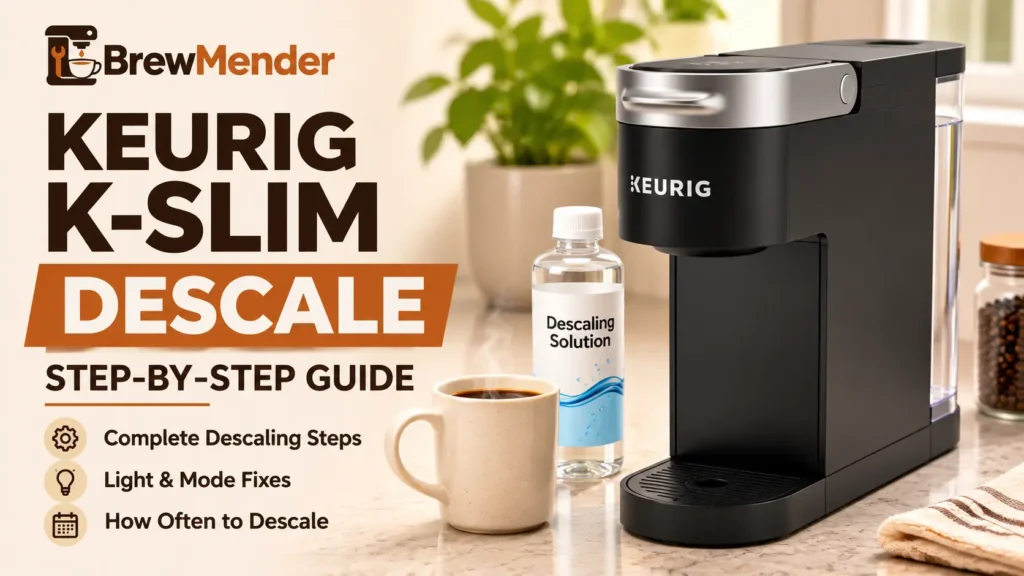
A Keurig K-Slim descale runs in a dedicated Descale Mode. With the brewer switched off, pour a full bottle of Keurig Descaling Solution and one bottle of water into the empty reservoir, then hold the 8 oz and 12 oz buttons together for 3 seconds until the DESCALE light turns solid. Brew the solution through until ADD WATER lights, refill with fresh water, and keep rinsing until ADD WATER lights a second time. That second ADD WATER light is the finish line.
These instructions come from Keurig’s standard K-Slim Use & Care Guide. If your brewer has a BREW OVER ICE button, check the separate K-Slim + ICED official guide. On that version, Keurig says to hold BREW OVER ICE to switch the brewer off before using 8 oz + 12 oz to enter Descale Mode. Follow your exact model’s manual rather than assuming its controls match the standard K-Slim.
Keurig K-Slim Descale: What You Need Before Starting
Keurig’s K-Slim guide lists four things: a large ceramic mug, fresh water, Keurig Descaling Solution, and access to a sink. It asks for about 15 to 20 minutes.
- Keurig Descaling Solution, one full bottle. The K-Slim guide names this product and gives no alternative. It does not provide a vinegar or citric acid method for this brewer.
- A large ceramic mug. Do not use a paper cup. The guide doesn’t give a mug size or say how much each descale cycle dispenses. Because 12 oz is the K-Slim’s largest brew size, we’d use a mug that comfortably holds more than that.
- Fresh water. The guide says not to use distilled water. Bottled or filtered water is fine for taste.
- An empty pod holder. Remove any K-Cup pod. The guide asks only that the holder be empty; it doesn’t say to take the holder out.
Check your model first. The K-Slim has three cup-size buttons (including 8 oz and 12 oz), a brew button, a power button, and ADD WATER and DESCALE indicator lights. Other Keurig brewers use different combinations and different finish signals, so a K-Supreme or K-Express procedure won’t map cleanly onto this machine.
Safety. Every cycle dispenses hot liquid, so carry the mug to the sink with care. Keurig warns not to lift the handle while the brewer is brewing, because the pod holder contains extremely hot water. Keep your fingers out of the pod holder: there are sharp needles above and below it.
If you’d rather avoid vinegar for routine cleaning, our guide to cleaning a Keurig without vinegar explains how washing removable parts differs from descaling. If you need to buy solution, our Keurig descaler comparison covers what to check against your manual.
How to Descale a Keurig K-Slim Step by Step
Work through these stages in order without long breaks. Each step says what the brewer should do, so you can tell right away if something is off.
Prepare the brewer and descaling solution
- Empty the water reservoir. Remove the lid and lift the reservoir straight up to take it off. Pour out any water.
- Add the solution. Pour the entire bottle of Keurig Descaling Solution into the empty reservoir. Fill the empty bottle with water and pour that in too.
- Seat the reservoir. Set it back on the brewer so the lock tabs engage, then replace the lid.
- Place the mug. Put your large ceramic mug on the drip tray. Confirm there’s no pod in the holder.
Activate Descale Mode
- Switch the brewer off with the power button. Leave it plugged in; the lights can’t respond without power.
- Press and hold 8 oz and 12 oz together for 3 seconds.
What you should see: the DESCALE light turns solid, and then the brew button begins flashing. If DESCALE doesn’t come on, see the Descale Mode Not Working section below.
Run the descaling solution through
- Press the flashing brew button. The brewer runs a cleansing brew into the mug.
- Empty the mug into the sink carefully. The liquid is hot.
- Repeat each time the brew button flashes, until the ADD WATER light comes on.
Some foam in the mug is normal. Keurig says it’s the solution reacting with scale inside the brewer.
What the first ADD WATER means: the solution stage is over. You are not finished yet.
Refill with fresh water and rinse
- Empty the reservoir of any leftover liquid and refill it to the MAX fill line with fresh water. Seat it so the lock tabs engage.
- Press the brew button once it begins flashing. Empty the mug into the sink.
- Repeat until the ADD WATER light comes on again.
Keurig’s guide labels this part "Rest & Rinse," but it gives no rest period, only the instruction to empty and refill. We don’t recommend inventing a waiting time. The official Use & Care Guide identifies the second ADD WATER light as the completion signal, so continue the fresh-water rinses until you reach it.
Confirm the descaling process is complete
Per the guide, the brewer exits Descale Mode after that second ADD WATER light and is ready for use. Run through this checklist:
- DESCALE turned solid when you entered the mode
- You ran solution cycles until the first ADD WATER light
- You refilled to MAX with fresh water
- You ran rinse cycles until ADD WATER lit a second time
- You reached the second ADD WATER signal, which the K-Slim manual identifies as the end of Descale Mode
Then refill the reservoir with fresh water before your next cup. The guide doesn’t separately describe the DESCALE light turning off, so if it is still lit after all of the above, see the Descale Light Still On section below.
K-Slim Button Combinations and Lights
Descale Mode
Hold 3 seconds with brewer powered off.
Water purge
Different function. Hold 5 seconds from off.
High Altitude setting
Different function. Hold 3 seconds.
Simplified text illustration, not an exact control-panel photograph. Follow the buttons and manual for your model.
The K-Slim guide documents three different two-button holds. They look alike, which makes them easy to mix up.
| Buttons | Hold | When | What it does |
|---|---|---|---|
| 8 oz + 12 oz | 3 sec | Brewer powered off | Enters Descale Mode |
| BREW + 12 oz | 5 sec | Brewer powered off | Purges water for a partial cup (not descaling) |
| BREW + 8 oz | 3 sec | Not stated in the guide | Turns on High Altitude mode (around 5,000 feet) |
Do not use the purge or High Altitude combination to descale. If you started a different function, consult the relevant manual instructions rather than treating it as part of the descaling sequence.
| What you see | What it means | Next step |
|---|---|---|
| DESCALE solid | Descale Mode is active | Wait for brew to flash |
| Brew button flashing | Ready for the next cycle | Empty the mug, press brew |
| Foam in the mug | Normal solution reaction | Keep going |
| First ADD WATER | Solution stage finished | Refill to MAX with fresh water |
| Second ADD WATER | Rinse finished; brewer exits Descale Mode | Refill and brew normally |
Keurig K-Slim Descale Mode Not Working?
If the DESCALE light never turns solid, the entry step is the usual suspect. Check these in order:
- Was the brewer off? The guide says to begin with it powered off. If the lights are on, press the power button first, then try the hold again.
- Right buttons? It’s 8 oz and 12 oz, not BREW. Press both at the same moment.
- Held long enough? Keep both pressed for a full 3 seconds.
- Right model? If the brewer has a BREW OVER ICE button, use the official K-Slim + ICED guide, including its model-specific power-off instruction.
- On its own outlet? The guide says the brewer should be on its own grounded outlet and circuit, apart from other appliances.
If you’ve confirmed all five and Descale Mode still won’t start, contact Keurig. The guide doesn’t list another entry method or a reset.
Keurig K-Slim Descale Light Still On?
If the DESCALE light stays on, an incomplete guided sequence is one possible explanation. Check these questions before assuming a component has failed:
- Did you use Descale Mode? Running solution through normal brew cycles cleans the water path but skips the guided sequence. If that’s what happened, run the full procedure above once.
- Did you stop at the first ADD WATER? That only ends the solution stage. Refill with fresh water and continue the rinse until ADD WATER lights again.
- Did the brewer shut off partway? See the shut-off section below.
If you completed every stage in Descale Mode and the light is still on, don’t keep adding more solution. Contact Keurig with your model and the last step you finished. Our descale light troubleshooting guide compares finish signals across other Keurig models if you’re unsure which procedure your brewer uses.
What If Your K-Slim Stops Dispensing Water?
Keurig’s K-Slim guide describes this exact situation. On a heavily scaled brewer, the machine may not fill properly after the solution goes in. You might see a small amount of output or none at all, followed by the sound of air blowing out. Here is the documented recovery:
- Turn the brewer off and unplug it.
- Discard any solution left in the reservoir. Rinse the reservoir thoroughly and refill it with fresh water.
- Plug the brewer back in, power it on, and repeat the fresh-water rinse (steps 10 to 12 above).
- If it still won’t flow, leave the brewer unplugged for at least 30 minutes, then continue the rinse.
Keurig says the brewer should start working normally as the solution is rinsed out and the scale comes loose. If water still won’t flow after the 30-minute rest, stop there. Our guide to a Keurig not pumping water covers other causes, and Keurig support is the next call.
ADD WATER showing with water in the tank? The guide says the K-Slim needs at least 6 oz of water to brew. Fill no higher than MAX and make sure the lock tabs are engaged. If the brewer won’t brew, the guide says to add another 2 oz and press brew again, repeating until it dispenses.
Cups still short after descaling? The guide adds two checks: clean the exit needle and pod holder, and try the BREW + 12 oz purge from off. If you’ve descaled twice and still get a partial cup, Keurig says to contact Customer Service. See Keurig not brewing a full cup for the step-by-step checks.
What If the K-Slim Shuts Off During Descaling?
The K-Slim manual describes Auto Off during regular use: the brewer turns off 5 minutes after the last brew. It does not explain whether Auto Off behaves the same way during Descale Mode or how to resume an interrupted sequence. Empty the mug and respond to the next flashing brew prompt without unnecessary delays.
If the brewer shuts off unexpectedly, check for obvious power problems, but do not assume the procedure can resume from the same stage. If Descale Mode prompts do not return, note which step you completed and contact Keurig rather than guessing at a reset. If the machine will not power on, use our safe checks for a Keurig without power after descaling.
If shutdowns also occur during everyday brewing, see why a Keurig keeps shutting off.
How Often Should You Descale a Keurig K-Slim?
Keurig’s K-Slim guide says to descale every 3 months. Water with more minerals builds scale faster, so you may need to descale more often. Keurig also recommends descaling after taking the brewer out of storage.
If the brewer was stored or moved somewhere below freezing, let it warm to room temperature for at least 2 hours before you use it. For a model-by-model schedule and how water hardness fits in, see how often to descale a Keurig.
Mistakes to Avoid When Descaling Your K-Slim
- Starting with the brewer on. The 8 oz + 12 oz hold is documented from off.
- Pressing BREW instead of 8 oz. BREW + 12 oz is the purge; BREW + 8 oz is High Altitude.
- Stopping at the first ADD WATER. The rinse stage is still ahead.
- Using a paper cup or a small mug. The guide rules out paper; a small mug risks hot overflow.
- Using distilled water. The guide says not to use it in this brewer.
- Lifting the handle mid-cycle. There’s extremely hot water in the pod holder.
- Descaling over and over for a short cup. After two full descales, Keurig says to call support.
- Borrowing another model’s steps. Confirm your own model before following button instructions or relying on another brewer’s finish signal.
When to Contact Keurig Support
If you notice smoke, sparks, a burning smell, a damaged cord or plug, water near the power connection, or a tripped breaker, stop using the brewer and unplug it if you can do so safely. Keurig’s guide says the K-Slim is not user serviceable beyond its documented cleaning and maintenance steps, so don’t open the housing.
Contact Keurig Support or call 1-866-901-BREW (2739) when:
- Descale Mode won’t start after the checks above
- Water won’t flow after the 30-minute recovery rest
- The DESCALE light stays on after the full procedure
- The brewer still brews a partial cup after two complete descales
- The brewer has no power after you’ve checked the outlet
Have your model name, purchase date, the last step you completed, and the lights you see ready. The K-Slim guide includes a limited one-year warranty for brewers used in the US and Canada, and Keurig asks you to call before sending a brewer in, because returns need a Return Materials Authorization (RMA) number.
For other symptoms, browse our Keurig help guides.