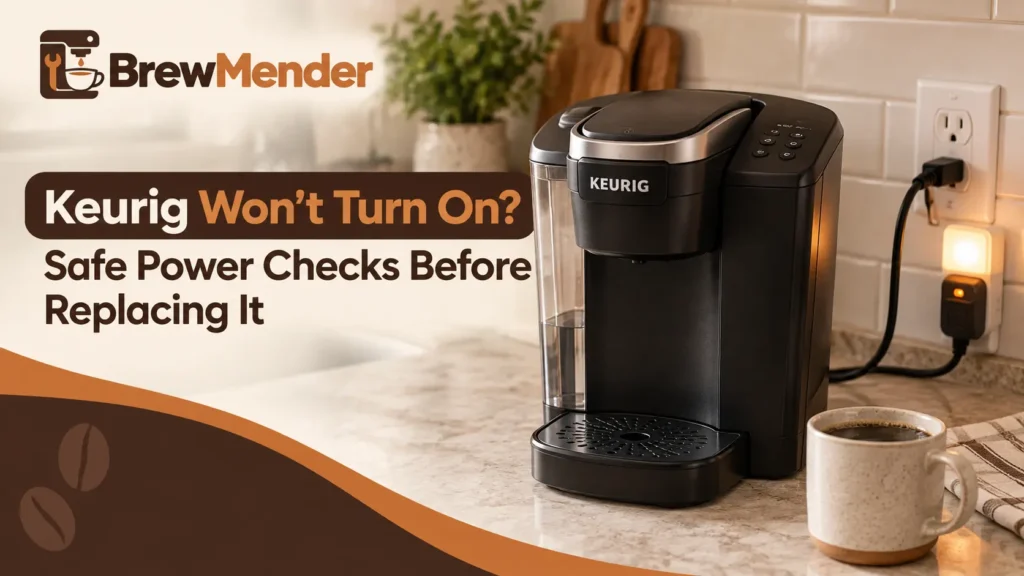
- If your Keurig won’t turn on, first rule out auto-off.
- Press the power button, or lift the handle on models that wake that way.
- Auto-off timing varies by model, so check your brewer’s Use & Care Guide if needed.
- Test the outlet with another device, then plug the Keurig into its own wall outlet.
- If the brewer still has no lights or response, stop troubleshooting and contact Keurig.
- Don’t open the brewer or attempt internal electrical repairs.
If your Keurig won’t turn on, the problem may be simpler than a failed brewer. It may have switched itself off to save energy, or the outlet may not be sending power.
This guide covers one problem: you press the power button and get no lights and no response. If your brewer lights up but won’t brew, ignores the buttons, or shuts off after starting, those have their own guides, linked below. If the brewer has flashing indicators rather than no lights at all, start with our Keurig blinking-light troubleshooting guide.
Work through the checks in order. They go from the quickest and safest to the point where you should stop and call Keurig. Your exact model matters, so check your Use & Care Guide as you go.
If water was under or around the brewer before it died, skip these checks. Unplug it if you can do that without touching water, stop troubleshooting, and contact Keurig.
Why Your Keurig Won’t Turn On: Match Your Symptom
| What you see | Check first | Likely direction | Next step |
|---|---|---|---|
| No lights, and it worked earlier today | Press the power button. On some models, lift the handle. | It may have shut itself off after the last brew. | See “Is Your Keurig Off, or Just Asleep?” |
| No lights, and you’re not sure the outlet works | Plug another device into the same outlet. | Power may not be reaching the brewer. | See the outlet section below. |
| No lights after a move or cold storage | How cold the brewer got | A brewer stored below freezing needs time to warm up. | Wait at least 2 hours at room temperature, then retry. |
| Lights or display on, but it won’t start a brew | Not this guide | The brewer has power. | Keurig Won’t Brew guide |
| Lights on, buttons ignored | Not this guide | The brewer has power. | Keurig Buttons Not Working guide |
| Powers on, then shuts off | Not this guide | Auto-off or a different fault | Keurig Keeps Shutting Off guide |
| Died during or right after a descale | Not this guide | A different situation | Keurig Won’t Turn On After Descaling guide |
| Burning smell, smoke, scorch marks, or a hot or damaged plug or cord | STOP | Safety problem | Stop using the brewer. Disconnect power if safe and contact Keurig. |
| Water under or around the brewer before it died | STOP. Skip the checks in this guide. | Safety problem | Unplug it if you can do so without touching water, stop troubleshooting, and contact Keurig. |
Is Your Keurig Off, or Just Asleep?
A Keurig that has entered auto-off can look dead at first glance. Each guide in the table below lists automatic shutoff among the reasons a brewer might have no power. The timing ranges from 60 seconds to 2 hours, and the K-Classic’s shutoff is optional. Press the power button first.
If the brewer still has indicator lights but pressing a brew or size control does nothing, it is not a complete no-power failure. The Keurig button troubleshooting checklist is a better starting point for that symptom.
Each row is based on the linked Use & Care Guide for that model.
| Model (linked guide) | How to wake it | Auto-off, per model guide |
|---|---|---|
| K-Supreme, K-Supreme Plus | Press the power button. The guides also describe lifting the handle to power on. | 5 minutes after the last brew. |
| K-Slim | Press the power button. The guide also describes lifting the handle. | 5 minutes after the last brew. |
| K-Express | Press the power button. Keurig’s support article also says lifting the handle works. | 5 minutes after the last brew. |
| K-Mini | Press the power button. | 90 seconds after the last brew. |
| K-Elite | Press the power button. A green light comes on. | 2 hours by default. You can set 15 minutes to 2 hours, or turn it off. |
| K-Classic (K55) | Press the power button. | Optional. A 2-hour timer you switch on with the Auto Off button. |
| K-Duo Essentials Gen 2 | Press any button. | Single-serve side: 5 minutes. Carafe heating plate: 2 hours. |
| K-Duo Essentials, earlier guide revision | Press the OZ or CUPS button. | Single-cup side: 60 seconds. Carafe heating plate: 2 hours. |
Your model isn’t listed? Find its Use & Care Guide at support.keurig.com and look for the “does not have power” section. SMART models have their own guides, which we haven’t covered here.
If it wakes up but shuts off again soon, see our guide to a Keurig that keeps shutting off.
Check the Outlet and Power Source
Every guide linked in the table above tells you to plug the brewer into its own outlet, on its own circuit, away from other appliances. If your Keurig won’t turn on, test the outlet with another device. If that device doesn’t work either, the brewer isn’t the problem.
For a K-Express that has no power or turns on but will not brew, our K-Express not working guide covers those different symptoms and the buttons used by each version.
- Test the outlet. Plug a lamp or phone charger into the same outlet. Keurig Canada’s support FAQ suggests the same test with another appliance. If the outlet is dead, that’s an electrical problem to sort out separately.
- Try a different wall outlet for the brewer. The older Classic Series guide and Keurig Canada’s FAQ both suggest this.
- Give it its own outlet. The guides say “its own outlet” and “its own circuit, separate from other appliances.” They don’t name power strips or extension cords. A strip isn’t an outlet of its own, so for this test plug straight into the wall.
- Why this matters. Keurig Canada says home brewers draw the most power the first time they heat from cold, up to 1,500 watts.
- Model note. The older Classic Series (K50) guide also says to reset your home’s circuit breaker if necessary. We didn’t find that line in the other guides we reviewed.
- Check the cord. Unplug the brewer first. If the cord or plug looks cracked, cut, scorched, or melted, stop using it and contact Keurig.
What Else Is Safe to Try Before You Call
Unplug it and plug it back in (K-Express guidance)
Keurig’s K-Express support article says to unplug the brewer, wait 30 seconds, plug it back in, and press Power. That 30-second wait is specific to the K-Express guidance. Don’t apply it to other models. The Use & Care Guides we reviewed for the other models don’t list an unplug step, and none of them gives a wait time. For any other model, check your own guide before trying a timed power cycle.
If it was stored somewhere cold
The K-Supreme, K-Slim, K-Express, K-Mini, K-Elite, and K-Duo Essentials (Gen 2 and the earlier revision) guides say the same thing. If the brewer has been somewhere below freezing, let it warm to room temperature for at least 2 hours before using it. Then plug it in and press the power button.
Why there’s no reset button combination here
Some pages tell you to hold the power button for 10 seconds, or to press it together with cup-size buttons. We didn’t find a reset like that in the guides we reviewed.
What those guides do list are button holds that start other modes:
- The K-Supreme, K-Slim, and K-Duo Essentials Gen 2 guides say that holding two buttons while the brewer is off starts Descale Mode.
- The K-Express guide says that holding Power and 10 oz enables High Altitude Mode.
Trying random combinations can switch on a mode you didn’t intend.
Does Your Model Turn On a Different Way?
-
K-Mini
Keurig’s published K-Mini guides differ on whether the power button lights up. The K-Mini guide says it does, and another K-Mini guide says it doesn’t. Don’t use the light as your test.
-
K-Duo Essentials
The Gen 2 guide and the earlier revision differ in which button wakes the brewer and in the single-cup timer.The carafe heating plate runs on its own 2-hour timer, so a lit plate doesn’t tell you the single-serve side is awake.
-
K-Classic
The auto-off timer is optional on this model.If it never had the timer switched on, auto-off is less likely to be the cause.
-
Office Brewers
Keurig lists these under separate support .This guide covers home single-serve brewers.
Did It Stop Right After Descaling?
If your Keurig died during or just after a descale, that situation has its own guide: Keurig won’t turn on after descaling. The wake-up and outlet checks above are still worth doing first.
Why You’ll See “Reset the Thermal Switch” Advice, and Why This Guide Stops
Search for a dead Keurig and you’ll find videos and articles that blame a tripped thermal switch inside the brewer and show how to open it. Several of them focus on the K-Supreme. One article that describes this fix says itself that it isn’t company advice.
We won’t cover those steps. The guides we opened, such as the K-Supreme and K-Express guides, say that beyond the listed cleaning and maintenance, the brewer is not user serviceable. The warranty section of the same guides excludes service by anyone other than Keurig or its authorized service providers. Opening the housing exposes electrical parts. If a fix needs the cover off, this is where DIY stops.
When to Stop and Contact Keurig
Stop troubleshooting and contact Keurig if any of these apply:
- Water was under or around the brewer before it died. Unplug it if you can do so without touching water, stop troubleshooting, and contact Keurig. Don’t try to power it on again.
- You smell burning or see smoke, scorch marks, or melted plastic.
- The cord or plug is damaged, or the plug or outlet feels hot.
- A breaker keeps tripping when the brewer is plugged in. Don’t keep resetting it.
- It’s still dead after you’ve woken it, used its own wall outlet, and allowed any cold-storage warm-up. The no-power section of every guide we opened ends with “contact Customer Service.”
Call Keurig at 1-866-901-BREW (2739), or start at support.keurig.com. Have your model name, purchase date, receipt, and a list of what you’ve tried.
The guides we opened, such as the K-Supreme and K-Express guides, describe a limited one-year warranty for home use. Keurig repairs or replaces at its option. They also say not to send a brewer back without a Return Materials Authorization number from Customer Service. Terms can differ, so read the warranty in your own guide.
Repair or replace a dead Keurig?
If you’re inside the warranty window, call before you buy anything. Outside it, a replacement may make more sense than a repair, because the guides don’t describe owner repairs beyond cleaning and maintenance. Our guide to how long Keurig coffee makers last covers the decision.
Conclusion
Start with the simple checks: wake it, test the outlet, give it its own wall outlet, and let a cold brewer warm up. If it’s still dead, it’s time for Keurig support or a replacement decision, not a DIY repair. For a different symptom, start at our Keurig troubleshooting hub.