
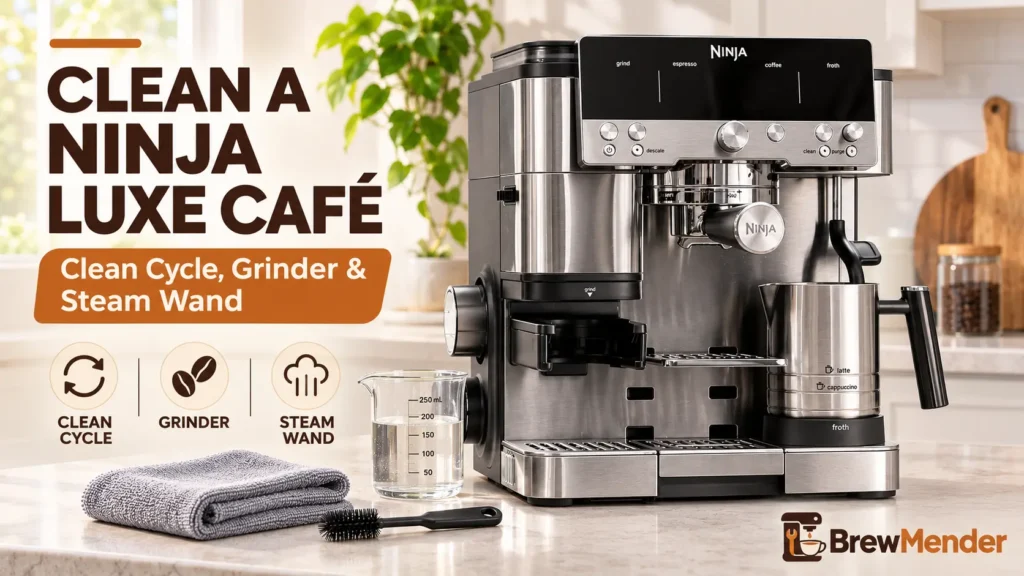
- CLEAN light on? Run the clean cycle with the cleaning disc and one Ninja cleaning tablet. It takes about 6 minutes.
- After every milk drink: wipe the steam wand and purge it.
- Weekly if you brew daily: brush the grinder burrs. Keep water away from the burrs.
- DESCALE light on? That is a separate, longer cycle for mineral scale, not the same as cleaning.
- Stop and contact Ninja if you see an Er error code, smoke, a burning smell, or water near the cord.
If you want to know how to clean Ninja Luxe Café machines, the short answer is this: run the built-in clean cycle whenever the CLEAN light comes on, brush the grinder burrs (never wash them), and wipe and purge the steam wand after every milk drink. Everything below follows Ninja’s own owner’s guides for the Premier Series (ES601) and Pro Series (ES701), with notes where the Essential Series (ES501) differs.
How to Clean Ninja Luxe Café Machines: Quick Schedule
Ninja publishes a cleaning and maintenance checklist for the Premier Series, and the ES700 Series owner’s guide (the guide that covers the ES701) adds grinder timing. The table below puts both on one schedule.
| When | What to clean |
|---|---|
| After each use | Wipe and purge the steam wand. Empty the main drip tray, wipe the center drip tray, rinse the group head, portafilter, and basket. |
| Weekly (daily brewing) | Brush the grinder burrs and grinding cradle. Monthly is the minimum if you brew less than daily. |
| CLEAN light on | Run the clean cycle (about 6 minutes). |
| DESCALE light on | Run the descale cycle (about 90 minutes). |
| As needed | Steam wand tip, shower screen and gasket, water filter, drip tray fill indicator. |
The ES700 guide says to clean the burrs more often if you use dark roast, decaf, or oily beans, and whenever you switch beans.
Which Ninja Luxe Café models this covers
- ES601 (Premier Series) and ES701 (Pro Series): the steps below come from Ninja’s documents for these models.
- ES501 (Essential Series): it uses the same cleaning disc and the same CLEAN light, disc, and tablet routine. The European version of its owner’s guide matches the clean cycle and grinder steps below, but it does not cover removing the shower screen. This article has not been checked against the US ES501 owner’s guide, so use yours to confirm step order.
Ninja lists the same cleaning disc (579UO600) for the ES501, ES601, and ES701. Not sure which model you own? Ninja puts the model number on the QR code label on the back of the machine, near the power cord. If you are still choosing between the two higher models, our Ninja Luxe Café Premier vs Pro comparison explains how they differ.
CLEAN Light vs DESCALE Light: Which One Is On?
Each light asks for a different job, and running one cycle will not turn off the other light.
| Light | What it asks for | You need | Time |
|---|---|---|---|
| CLEAN | Flushing coffee oils and grounds from the group head | Cleaning disc, 1 cleaning tablet | About 6 min |
| DESCALE | Removing mineral scale left by hard water | Ninja descale powder in water | About 90 min |
The CLEAN light turns on automatically when the machine decides a clean cycle is due. Ninja does not publish a fixed number of shots or days for it. The ES700 guide also says you can run a clean cycle any time your drinks start tasting different.
How to Run the Ninja Luxe Café Clean Cycle
Ninja calls this a "clean cycle." On other espresso machines it is usually called backflushing. The cleaning disc blocks the basket, so water and cleaning solution get pushed back up through the shower screen and group head (the metal head the portafilter locks into) and drain into the drip tray.
What you need
- The cleaning disc (stored in the machine’s accessory storage)
- One Ninja cleaning tablet. One packet ships with the machine, and Ninja sells refills on its accessories page.
Ninja’s guides only describe Ninja tablets and do not say whether other brands are safe. To stay within the manufacturer’s instructions, use Ninja’s tablets. The guides also do not describe a water-only clean cycle, so this article does not suggest one.
Step by step
These steps follow the ES700 owner’s guide and match the Premier Series checklist.
- Empty the main drip tray completely. The cycle drains into it, and a partly full tray can overflow.
- Fill the water reservoir to the Max Fill line. Do not go over it.
- Put the double basket in the portafilter.
- Place one cleaning tablet in the center of the cleaning disc.
- Set the disc on the double basket with its handle facing up.
- Lock the portafilter into the group head.
- Press CLEAN, then press the center dial to start.
- Wait about 6 minutes. The machine backflushes, drains into the main drip tray, and beeps when the cycle is complete.
- Remove the portafilter and drip tray slowly. Both can hold hot water. Hand-wash them in warm, soapy water.
What a good result looks like: the cycle runs to the beep, the CLEAN light goes off, and the drip tray holds dark, used water. If the CLEAN light comes straight back on after a completed cycle, Ninja’s Luxe Café guides do not list a home fix, so contact Ninja support rather than repeating cycles over and over.
Daily Cleaning After Each Drink
Steam wand: wipe and purge
Milk dries fast on a hot wand, so clean it right away. The wand and tip stay hot after frothing: hold the dry end of the cloth and keep your fingers off the tip.
- Wipe the wand with a damp cloth or paper towel until all milk residue is gone.
- Purge it to clear milk from inside the wand. On the ES601 and ES701, lowering the wand with no jug in place starts the purge on its own, and the ES700 guide says the machine beeps when the purge starts and again when it ends. On every model you can also press PURGE with the wand down. If your ES501 does not start purging by itself, press PURGE right after frothing.
If residue will not wipe off, Ninja’s checklist suggests filling the milk jug to the max line with cool water, running a medium froth, then using a paper towel soaked in that hot water. For heavy buildup you can add a little dish soap, but rinse all of it off and purge before you froth milk again.
Drip trays, portafilter, and group head
Empty and rinse the main drip tray, wipe the center drip tray, and rinse the portafilter and basket after each session. Use the included cleaning brush to sweep grounds off the group head.
How to Clean the Grinder and Bean Hopper
Coffee oils and fines (tiny coffee particles) build up on the burrs and can change grind consistency over time. Ninja says to clean the burrs with the brush only, never with water.
- Remove all beans from the hopper, then put the hopper back on and lock it in place.
- Clear the grinder (ES701 guide). Set grind size to 25, put the portafilter in the grinding cradle, and hold START GRIND for about 10 seconds or until the sound changes. If residue is left on the burr, sweep it off with the cleaning brush and run this purge again. The ES501’s European guide skips this step and goes straight to unplugging.
- Turn the machine off and unplug it.
- Remove the hopper by lifting the handle and turning it counterclockwise.
- Remove the upper burr. Turn it counterclockwise until the orange arrow on the burr lines up with the orange ALIGN arrow on the machine, then lift it out.
- Brush both burrs (the one you removed and the one still in the machine) with the cleaning brush.
- Brush the grinding cradle. On the ES701 you can remove the grinder chute cover to reach it more easily.
- Make sure everything is completely dry, then reinstall the burr and hopper.
Do not let the burrs touch water. Do not pour water into the hopper while it is on the machine, either. Take it off first. The hopper and lid can be hand-washed, and the ES700 guide lists the hopper as dishwasher safe, but they must be fully dry before going back on.
On the ES701, Ninja also says to brush grounds off the tamper face. To see how the built-in grinders compare across Ninja models, read which Ninja coffee makers have a grinder.
Deep Cleaning the Steam Wand Tip
If steam sputters or the wand froths poorly, the tip may be partly blocked. Let the wand cool first.
- Pull the cap off the bottom of the cleaning brush to expose the needle.
- Use the needle to clear the holes in the wand tip.
- For a deeper clean, use the wrench in the center of the brush to unscrew the tip, then clear the inside of the tip and wand with the needle.
- Reinstall the tip and run a purge to flush out anything you loosened.
Shower Screen and Gasket Care (ES601 and ES701)
The shower screen spreads water over the coffee puck. The rubber gasket seals the portafilter against the group head. Ninja suggests cleaning the screen if drink quality drops, and checking the gasket if the portafilter leaks even when the handle is fully tightened.
- Turn the machine off, unplug it, and let the group head cool.
- Remove the center screw with a Phillips screwdriver and take out the shower screen.
- Wash the screen with soap and water.
- Inspect the gasket. If it looks torn, flattened, or worn, pry it out gently with a flathead screwdriver and fit a replacement from Ninja.
- Put the screen back and secure it with the screw.
ES501 owners: the European ES501 guide does not describe removing the shower screen and says to contact Ninja customer service about a worn group head gasket. Follow your own guide rather than these steps.
Water Filter and Drip Tray Indicator
Water filter (ES601). According to Ninja’s Premier Series checklist, a new filter is soaked for 5 minutes and rinsed for 60 seconds before you fit it into the housing. Then you set the housing dial two months ahead as a replacement reminder. The ES700 guide does not give these filter steps, so ES701 owners should follow the instructions that came with their filter. On every model, take the filter out of the reservoir before a descale cycle.
Drip tray fill indicator. The Premier Series checklist says to remove the main drip tray, grate, and pour cover, pull out the orange indicator, wash it in warm soapy water, let it dry, and push it back in. Give it a light tug to check that it slides freely. The ES700 guide confirms the indicator is removable.
What Can Go in the Dishwasher
Ninja’s ES700 owner’s guide lists the frothing whisk, cleaning disc, water reservoir, bean hopper, and all drip tray parts as dishwasher safe. The ES601 quick start guide also lists the funnel and portafilter. Check your own guide before putting the portafilter in the dishwasher; hand-washing is always safe.
Never put the main unit, power cord, or grinder burrs in water, and do not soak parts your guide does not list as dishwasher safe.
When Descaling Is the Real Fix
If the DESCALE light is on, cleaning will not clear it. Descaling dissolves the mineral scale that hard water leaves inside the machine. How often you need it depends on your water hardness setting, which you enter using the test strip that comes in the box. Ninja’s US guides say to dissolve the included descale powder in 37 fl oz of water, and the cycle runs about 90 minutes. Ninja’s guide warns that skipping descaling can reduce drink quality and eventually clog the machine.
When to Stop and Contact Ninja
Stop using the machine, unplug it, and contact Ninja support (1-877-646-5288 in the US) if:
- The display shows "Er" followed by a number (for example, Er 03). The ES700 guide says to call customer service for these.
- You see smoke or sparks, or smell burning
- The power cord or plug is damaged, or water has reached the cord or the base
- The CLEAN or DESCALE light returns right after a completed cycle
- The portafilter still leaks after you replace the gasket
Do not open the machine’s housing or try internal repairs. Ninja’s guides limit owner maintenance to the parts described above.